
A polished costume portrait can be wrong in ways that are hard to notice. A clasp moves from one side to the other. A head covering gains a decorative fold that belongs to a different region. A woven border becomes generic embroidery because the generated version looks smoother. None of those changes is dramatic on its own, yet together they can turn a specific cultural reference into an attractive invention.
For a cultural editor, that is where Nano Banana becomes useful or dangerous. Convincing fabric is easy to admire; a traceable clasp, border and layer order are harder to defend. Kimg AI provides text-led generation and reference-based image work across several models, but the editor still has to declare what may change before the first image is made.
Start with a short source record, not a long aesthetic prompt. List the parts that came from a photograph, collection note, museum catalogue, or contributor. Then list the parts being designed for the page. If an element fits neither list, it should not quietly appear in the final illustration.
Separate Sourced Details From Decorative Choices
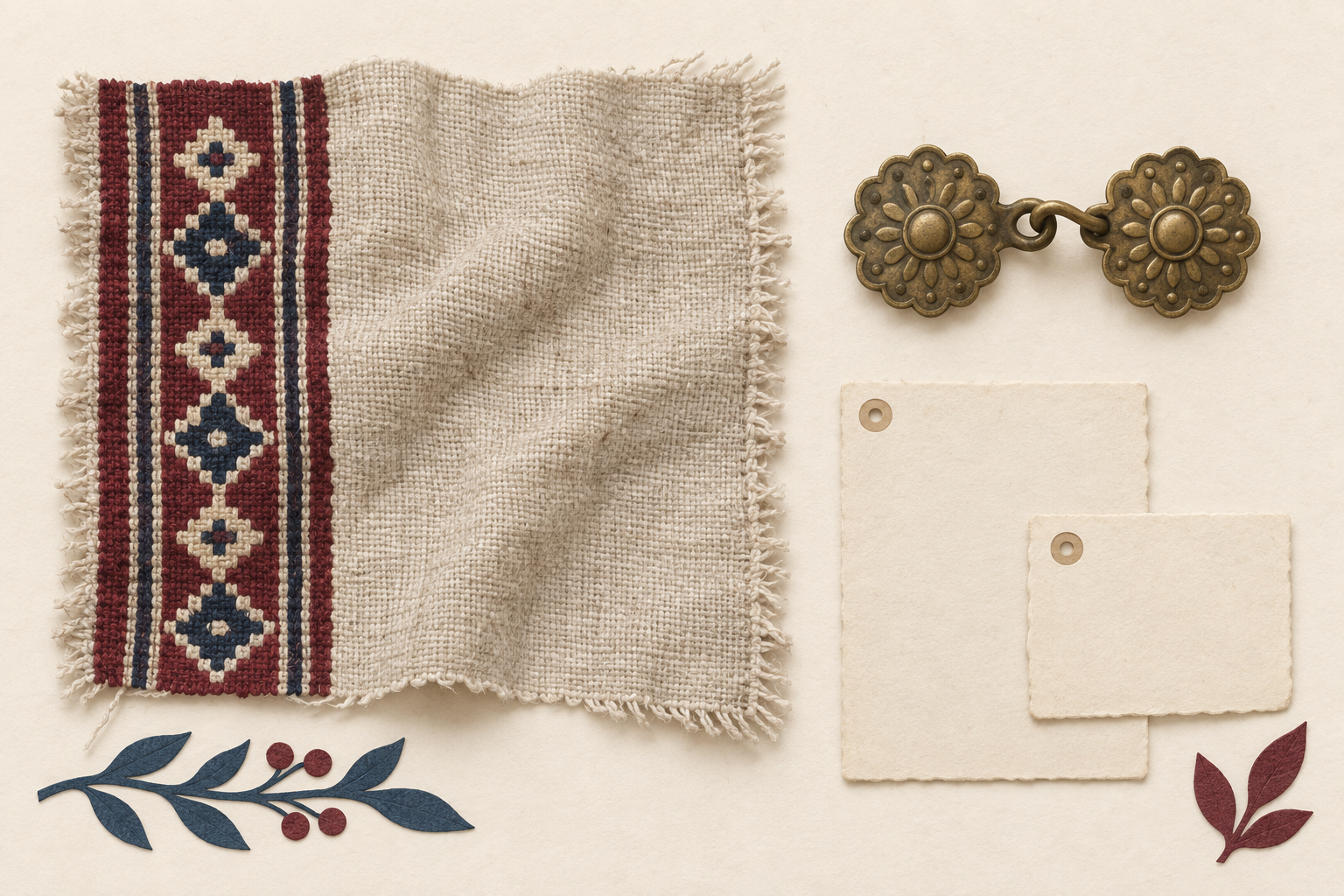
Traditional dress is not one visual category. Fasteners, drape direction, garment length, border placement, jewelry and the relationship between layers can all carry local information. An image model may produce a coherent outfit while changing one of those details. Realistic lighting can make the change feel more authoritative than it is.
Mark Each Detail As Source Or Design
Before opening the generator, turn the brief into a small inventory. “Source” means the feature can be located in a supplied reference or a checked description. “Design” means the editor has deliberately chosen it for composition, color balance or readability. “Unclear” means the team has not earned the right to present it as specific.
|
Visible element |
Allowed basis |
Review question |
|
Clasp position |
Source reference |
Is it on the same side and layer? |
|
Woven border |
Source reference |
Did width and placement stay intact? |
|
Background color |
Editorial design |
Does it avoid suggesting a false location? |
|
Extra jewelry |
Remove unless sourced |
Was it introduced only to fill space? |
The table is intentionally plain. It gives the reviewer something stronger than “the outfit looks right.” A specific mismatch can be named, returned to the prompt and checked again.
Write A No-Change List Before Styling. A prompt should distinguish protected details from flexible ones. Put the protected features first: keep the fastening on the left, preserve the narrow border at the lower edge, retain the same number of visible layers. Then describe the change, such as a flatter background or softer paper texture. This order does not guarantee perfect preservation, but it makes the editorial intent clear enough to review.
Do not hide uncertainty inside words such as authentic, traditional or accurate. Those words ask the model to supply knowledge that the brief has not defined. Name the garment parts you can verify. Leave out claims you cannot.
Route The Generation Around Reference Roles
Reference images work better when each one has a declared job. One may show garment construction. Another may show the surface pattern. A third may set the desired illustration medium. Mixing them without priorities invites a plausible blend rather than a controlled interpretation.
Keep Construction Ahead Of Surface Style. Use the clearest construction image as the primary reference, even if it is not the prettiest photograph. A side view that shows the fastening can be more valuable than a dramatic front portrait. Style references should come later and should not be allowed to replace the garment logic.
Google describes Nano Banana 2 as supporting multiple reference images and consistency, while Nano Banana Pro is positioned for complex layouts and precise creative control. Neither claim means a culturally important detail will survive by itself. On Kimg, select the model only after deciding whether the pass is a rough composition study or a careful reconciliation of several references.
Change One Editorial Variable Per Pass. If the first output keeps the garment but loses the border, repair that border before changing the background, lighting and pose. Several simultaneous requests make it harder to tell which instruction caused the drift. A short sequence also produces a useful review trail: source, first interpretation, corrected detail and final page image.
Kimg AI can support this iterative workflow through image generation and editing, but the iteration should remain small. When a correction produces new errors elsewhere, return to the last acceptable version rather than asking the model to patch an increasingly unstable image.
Inspect The Result At Three Viewing Distances
A costume image can pass at full screen and fail in the actual article. Review it as a thumbnail, at normal reading width and at close range. Each distance exposes a different kind of mistake.
Use Thumbnail View For Silhouette And Layers
At thumbnail size, ignore embroidery and texture. Check the outline, the number of garment layers and the broad drape. If two important layers merge into one dark shape, the image no longer explains the construction. Fix contrast or pose rather than adding decorative detail.
Use Reading Width For Fasteners And Borders
At the width used on the page, look for the details a reader will actually see: clasp side, border position, sleeve end and jewelry placement. This is also where invented lettering or pseudo-patterns become obvious. If a detail is too small to verify, the caption should not make a specific claim about it.
Use Close View To Catch Generated Artifacts
Close inspection is for broken edges, repeated motifs, fused objects and pattern changes across folds. It is not a reason to promise microscopic accuracy. It simply prevents a visible generation error from being mistaken for a real construction feature when the image is enlarged.
The three-distance check gives the cultural editor a repeatable decision. Kimg AI may produce several visually strong options; the chosen one is the image that remains coherent at all three sizes without adding unsupported meaning.
State Interpretation Without Pretending It Is Evidence
An illustration should be introduced as an illustration. A caption can say that it is a visual interpretation based on specified references and that some background or stylistic choices were designed for the article. It should not imply that the image records a historical person, exact event or verified full outfit unless separate evidence supports that claim.
Keep the source notes outside the generated pixels. Names, dates, regions and garment terminology belong in editable text where an editor can correct them. The image can carry shape, color and relationship; the article should carry the factual claim.
Choose The Image With The Clearest Trail
The best option is not always the most ornate one. For a cultural essay, the stronger image is the one whose important details can be traced to a reference, whose designed elements are openly treated as interpretation and whose mistakes can be named.
Kimg AI is a practical fit for editors who already have usable source material and want to explore a clearer visual treatment. It is a poor substitute for missing research. Keep the source-or-design inventory beside the draft, inspect the result at three distances, and publish only what the page can honestly explain.