A poetry video can become busier than the poem. Leaves move during a held breath, the camera pushes in across a line break, and a new visual event arrives before the previous image has settled. The clip looks active, but the spoken rhythm has lost the silence that made it legible.
Editors using an AI video editor should treat the recorded reading as the timing source, not background audio added after the visuals. AIVideoEditor.me can generate motion from images and prompts, but the motion brief should begin with the poem’s pauses, stresses and changes of speaker.
Give one phrase enough visual support, then leave room for the next line to arrive. A pause map makes that restraint visible before anyone starts generating clips.
Mark Spoken Rhythm Before Choosing Any Image
Listen once without taking notes. On the second pass, mark the start of each line, the stressed word, the held silence and the point where tone changes. These marks are not an edit decision yet. They show where motion could compete with the voice.
Separate Line Breaks From Actual Spoken Pauses
A printed line break may pass quickly in performance, while a comma may carry a long hesitation. Use the recording rather than the page to place visual rests. Record timings to the nearest useful beat; frame-perfect notation is unnecessary until the direction is approved.
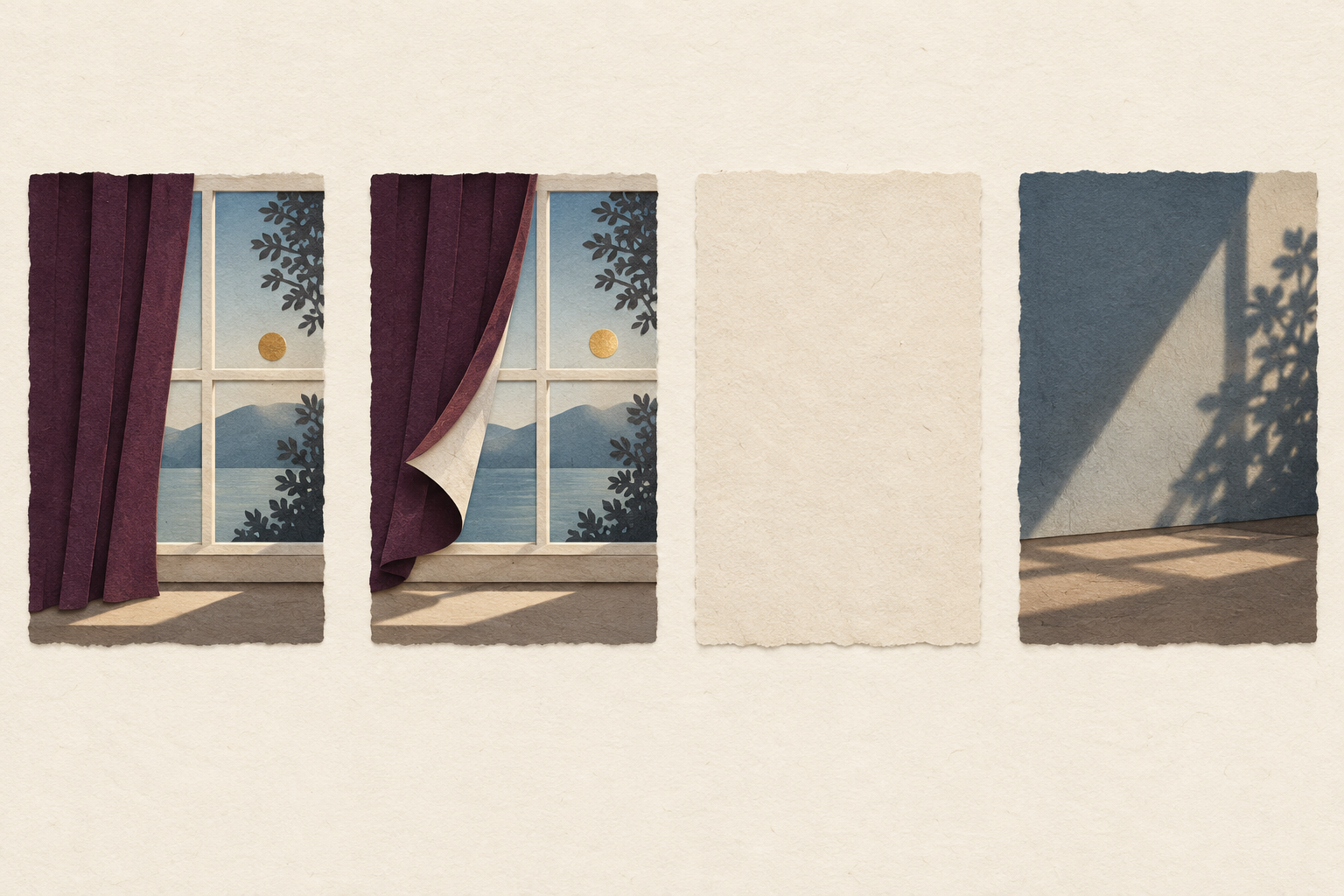
Name The Phrase That Deserves Visible Motion. Choose one phrase per short clip. Write what changes while it is spoken: a shadow lengthens, a curtain lifts, or one reflection breaks. Avoid a list of simultaneous movements. The selected action should support the line’s verb or emotional turn, not merely decorate its nouns.
Keep names, translations and quoted lines in editable text outside the generated image. Motion can carry atmosphere and relationship; it should not be trusted to preserve exact wording.
Prepare Quiet Source Frames For Each Phrase
A stable source frame gives the model less to reinterpret. Use one clear focal object, room around it and a composition that already matches the intended aspect ratio. A crowded collage asks the generator to decide which visual element leads.
Give Every Source Frame One Visual Job. One frame may establish place. Another may hold a symbolic object. A third may carry the final shift. Do not make each frame repeat the whole poem. The sequence should gain meaning as the voice proceeds.
|
Audio moment |
Visual job |
Motion ceiling |
|
Opening line |
Establish one place |
Slow environmental movement |
|
Stressed phrase |
Reveal one relationship |
One object changes |
|
Held pause |
Let the previous image settle |
No new event |
|
Final line |
Resolve or leave tension |
One controlled exit |
Use these limits when reviewing the AIVideoEditor.me candidate alongside the recorded reading. A beautiful camera move still needs cutting if it starts a new visual event during a pause the reader deliberately held.
Protect cultural details in reference images. If the source contains dress, script, architecture or ritual objects, list the details that must not change. A style shift does not grant permission to merge regions or invent lettering. When a detail is essential to the poem’s context, keep it stable or use a non-generated source.
Prepare an alternate source for any detail that repeatedly drifts. A close crop of the object may guide a dedicated shot better than one wide scene. If the model still changes it, replace the generated segment with the verified still rather than hiding the error under faster motion.
Animate One Phrase At A Time
Start with the shortest meaningful passage. Upload the source image or clip, describe one motion and state what remains fixed. AIVideoEditor.me offers several video-model routes, so model choice should follow the source and motion job rather than popularity.
Write Motion As A Camera Note
“The camera moves slowly toward the empty chair while the curtain lifts once” is reviewable. “Make it lyrical and cinematic” is not. Include direction, speed and stopping point only when the source supports them.
When teams edit videos online and receive extra movement, simplify the instruction before adding more constraints. A shorter prompt often reveals whether the core action is controllable.
Hold Stillness Across The Marked Pause
Do not fill a held silence simply because the model can generate more. Extend a stable frame, slow the existing action or cut to a quiet source. Silence is part of the reading’s structure, and visual rest helps the next phrase feel intentional.
Use One Revision To Fix One Timing Error
If the motion begins too early, correct the start. If it continues through the pause, correct the stop. Do not change palette, framing and action in the same revision. Otherwise the team cannot tell whether the timing actually improved.
Review The Cut With And Without The Voice
First watch with the reading and mark every point where the image pulls attention away from a stressed word. Then mute the voice. The silent pass shows whether the clip has invented a separate story that the poem never asked for.
Check The First Frame After Every Pause. The frame after silence should begin the next thought, not finish the previous action. If a motion spills across the boundary, trim it or choose a calmer result. This small check protects the poem’s internal punctuation.
Ask A New Viewer Where The Poem Turned. Show the draft to someone who has not seen the timing map. Ask where the tone or idea changed. If the answer follows the largest visual effect instead of the spoken turn, the video is directing the poem rather than supporting it.
Then ask which moment they wanted to replay. If it is a difficult line, check whether the visual actually helps them hear it again or merely attracts attention. Repetition should serve comprehension. A spectacular effect that steals the replay point from the line belongs in a promotional teaser, not the poem itself.
Keep a timing sheet with the final export: source line, audio in and out, chosen motion, and reason for any still frame. Include the recording version so a replacement reading cannot silently inherit obsolete timings. That record makes later revisions possible without asking a new editor to reverse-engineer the rhythm from a finished video.
Keep The Silence That Gives The Line Weight
AIVideoEditor.me fits editors who already have a recording, a pause map and a small set of source frames. It is less helpful when the brief asks for constant motion without deciding what the voice needs.
For a multilingual release, build the pause map again from each recorded reading. Do not copy timings from the source language: sentence length, stress and breath change. The visual concept can remain consistent while individual shots hold or begin at different moments.
Mark the rhythm, animate one phrase, and review every pause as carefully as every movement. The strongest poetry video may contain fewer visible events because it lets the spoken line finish its work.