
AI Photo Editor Restoration Must Preserve Family Handwriting
An old family letter can be made cleaner and less trustworthy at the same time. A stain disappears, a torn edge fills in, and a faint word becomes crisp. If that word was uncertain in the source, the restored page now presents a guess with the visual confidence of original handwriting.
Treat restoration as two linked jobs: preserve what the page physically shows and record what a reader can reasonably transcribe. An AI Photo Editor can help prepare candidate repairs, but the family archive—not the generated pixels—must decide which words are known.
PicEditor AI takes an uploaded image and a written editing request. Before sending a scan to this AI Photo Editor, identify the damage you want reduced and the handwriting you need preserved. Keep private correspondence out of shared inputs unless you have permission to use it.
Transcribe The Page Before Repairing It
Photograph or scan the letter before any alteration. Capture the whole sheet, then make closer images of creases, torn areas and faded lines. Keep color and scale references when possible. The source files should be read-only copies with dates and simple identifiers.
Record What You Can Read Without Enhancement
Work line by line and type a diplomatic transcription: preserve spelling, punctuation and uncertain gaps instead of silently modernizing them. Put unclear letters in brackets or use a consistent uncertainty mark. If two relatives read a name differently, record both readings rather than choosing the more familiar one.
This first transcript creates a boundary. Later enhancement may reveal a stroke that supports one reading, but it should not cause an invented word to be backfilled into the apparent handwriting. Keep transcription decisions in text notes, where they can be challenged.
Identify The Features That Authenticate The Page. Circle signatures, dates, postal marks, crossings-out, changes of ink and unusual letter forms. These details may matter more than general cleanliness. A fold through a surname may be damage, but it also records how the letter was stored. Decide which physical traces belong to the document’s history before planning cosmetic repair.
Mark Certain And Uncertain Restoration Zones
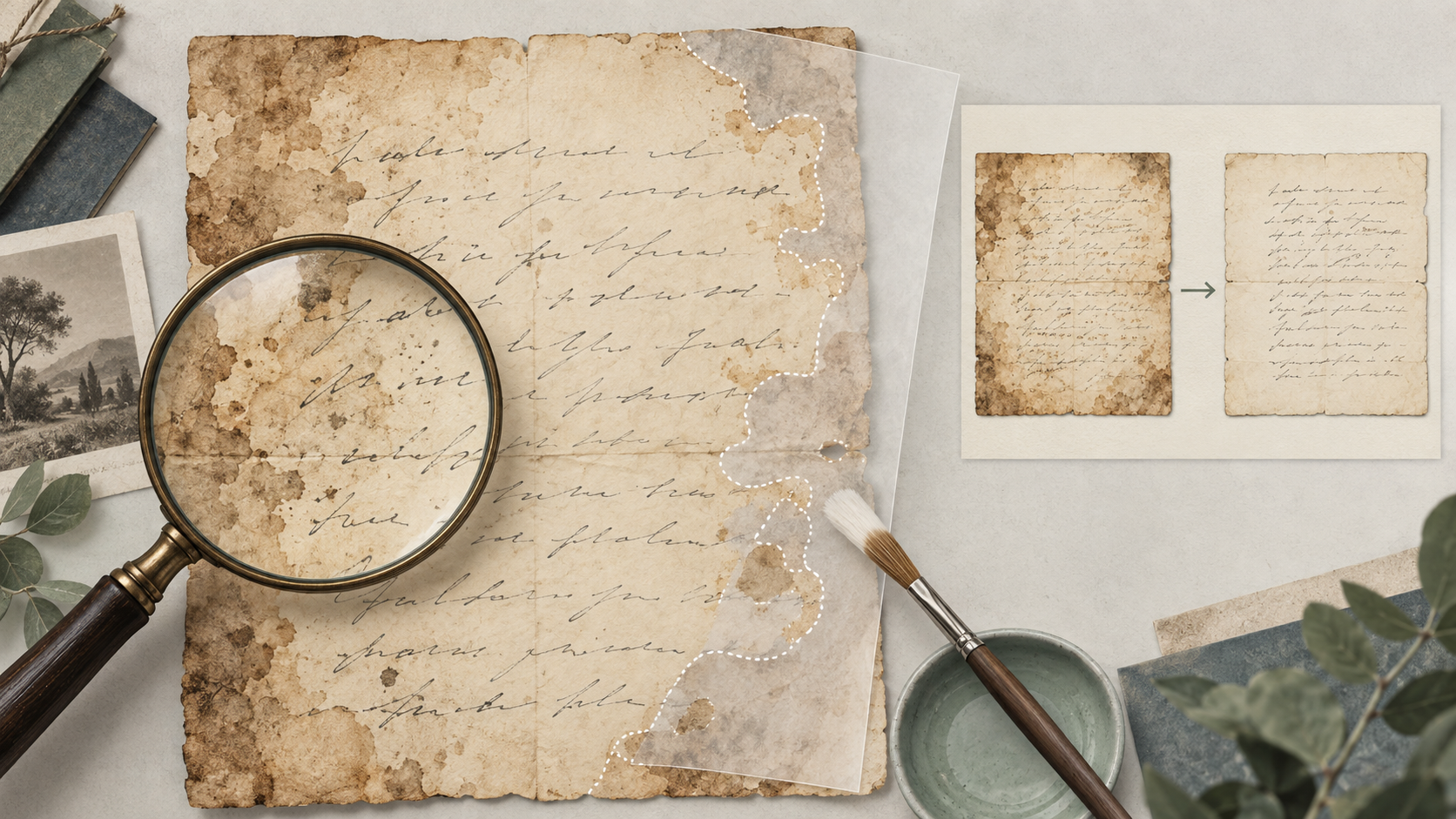
Create a transparent mask over a copy of the scan. Use one color for blank paper damage, another for marks that overlap writing and a third for areas whose content is uncertain. The mask turns a vague request to “restore the letter” into a reviewable set of small decisions.
A blank stain between paragraphs is a different problem from a stain covering three letters. Paper texture can often be reconstructed without changing meaning. Missing handwriting cannot be reconstructed as documentary fact merely because a model produces a plausible stroke.
Set A Repair Ceiling For Each Zone
|
Zone |
Allowed treatment |
Required record |
|
Blank margin |
Reduce stain or fill paper texture |
Mask and source crop |
|
Writing remains legible |
Improve contrast around existing strokes |
Before-and-after crop |
|
Writing is partly missing |
Leave gap or mark uncertainty |
Transcript note |
|
Signature or date |
Minimal tonal correction |
Independent comparison |
|
Torn edge without text |
Optional visual fill |
Derivative label |
The repair ceiling also controls effort. A display copy may need a visually calm margin, while a research copy should show every tear. Prepare different derivatives if the uses conflict instead of making one image pretend to satisfy both.
Repair Around The Evidence In Small Passes
Begin with the safest blank-paper zones. Give PicEditor AI a narrow instruction, such as reducing one stain while preserving all dark ink strokes and the original paper boundary. Generate one or two candidates and compare them before moving to another area.
Keep Handwriting Outside Broad Cleanup Requests
Do not ask for a complete rewrite, sharpen or beautify pass across the page. Those words invite the tool to regularize weak strokes and letter spacing. Work from masks or crops where possible, and specify that the written content is fixed. The instruction defines the review target; it does not guarantee compliance.
Compare the Photo editor result with the scan in a separate layer-based application, using partial opacity. Photo editor previews can hide small stroke changes at reduced size; inspect the actual files for curves that connect or disappear. A tiny curve can change a surname, digit or negation. Reject a candidate whose changes cannot be isolated safely.
Use Contrast Before Reconstruction. A careful grayscale or tonal adjustment may reveal faint ink without generating content. Try reversible contrast and channel inspection before asking a model to fill anything. If a word remains unreadable, the honest output is still an unreadable word accompanied by a note—not a seamless invention.
Compare The Restored Page At Reading Size
Zoomed inspection catches altered strokes, but normal reading size catches a different problem: false certainty. If a repaired word stands out darker and cleaner than neighboring text, readers may give it more weight than the source justifies. Match the overall tonal character rather than optimizing every character separately.
Run A Blind Transcription Check. Give the source and derivative, in random order, to someone who has not seen the family story. Ask them to transcribe the disputed line and mark uncertainty. The restored version should improve access to existing evidence without producing confident new readings unsupported by the source.
Then compare both transcriptions with the pre-edit record. Any newly legible claim should be traced to a visible original stroke. If it appears only in the derivative, return to the masked source and reduce the intervention.
Inspect Names Dates And Negations Separately
Names connect the letter to people, dates place it in time, and short words such as “not” can reverse meaning. Review these high-consequence details character by character. PicEditor AI should not be credited with recovering them unless the unedited scan visibly supports the same reading.
Archive The Source And The Restoration Decisions
Save the untouched scan, restoration mask, prompts, accepted derivative and final transcript as a package. Give the derivative a filename and caption that identify it as restored. Do not replace the source file or let a shared folder contain only the cleaner version.
PicEditor AI fits this workflow as a candidate-making tool for bounded visual repair. Human readers still decide what the page says, and uncertainty remains part of the archive when the source cannot answer.
Add a short change log describing which stains, tears or tonal problems were treated. If the image is printed for a family display, link back to the full archive package. Future relatives should be able to enjoy a readable page and still inspect the evidence behind it.
Keep the display caption modest as well. State that the page was digitally restored from a particular scan and that unreadable passages remain uncertain. Avoid saying that missing text was “recovered” when the process only produced a plausible visual completion. That distinction matters when the letter later becomes evidence for a date, relationship or family event.
A respectful restoration does not make every gap disappear. It makes the surviving writing easier to encounter while keeping guesses visible as guesses. Clean the paper around the words, preserve the strokes that remain, and let the transcript carry what is known, disputed and unreadable.