Creating Vintage Lifestyle Scenes from Written Ideas
A vintage scene lives or dies on small details, the specific cut of a jacket, the grain of an old film reel, a quality of light that doesn’t quite exist the same way anymore. Text to video tools can now recreate that period feeling from a written description, and Dreamina’s Seedance 2.5 handles period detail and colour grading well enough that a vintage scene plays back like something actually shot decades ago rather than styled to look old.
Why vintage scenes depend on specific detail
A vague sense of old doesn’t convince anyone, since every decade has its own particular texture, color palette, and rhythm of movement. A prompt that names the actual era, along with the fashion, technology, and settings specific to it, gives Seedance 2.5 something concrete to build from rather than a generic, undated approximation of the past.
Choosing the era and moment worth recreating
Different decades carry very different moods, so it helps to pick both a specific era and a moment that captures its particular feeling. A few directions tend to work particularly well:
- A quiet domestic scene from a specific decade, a kitchen, a porch, a living room
- A street scene showing period-accurate fashion and vehicles together
- A small social moment, a dance, a diner visit, a gathering with friends
Pick the era and moment together, since a vague sense of the past reads far weaker than a scene tied to a specific decade’s actual details.
What makes a vintage prompt actually convincing
A flat prompt just says old-fashioned scene and leaves specifics to guesswork. A convincing one names the decade directly, along with its fashion silhouettes, color palette, and even the film grain typical of that era. That detail separates a genuine vintage scene from something vaguely retro without committing to an actual time period.
Your three-step path from idea to finished scene
Step 1: Enter your prompt and add a reference if you have one
Open Dreamina and head to the AI Video section. If you have a reference photo from the actual era, upload it through “Add reference image” to anchor the scene. If you’re working purely from text to video, skip that and describe the scene in full period detail instead.
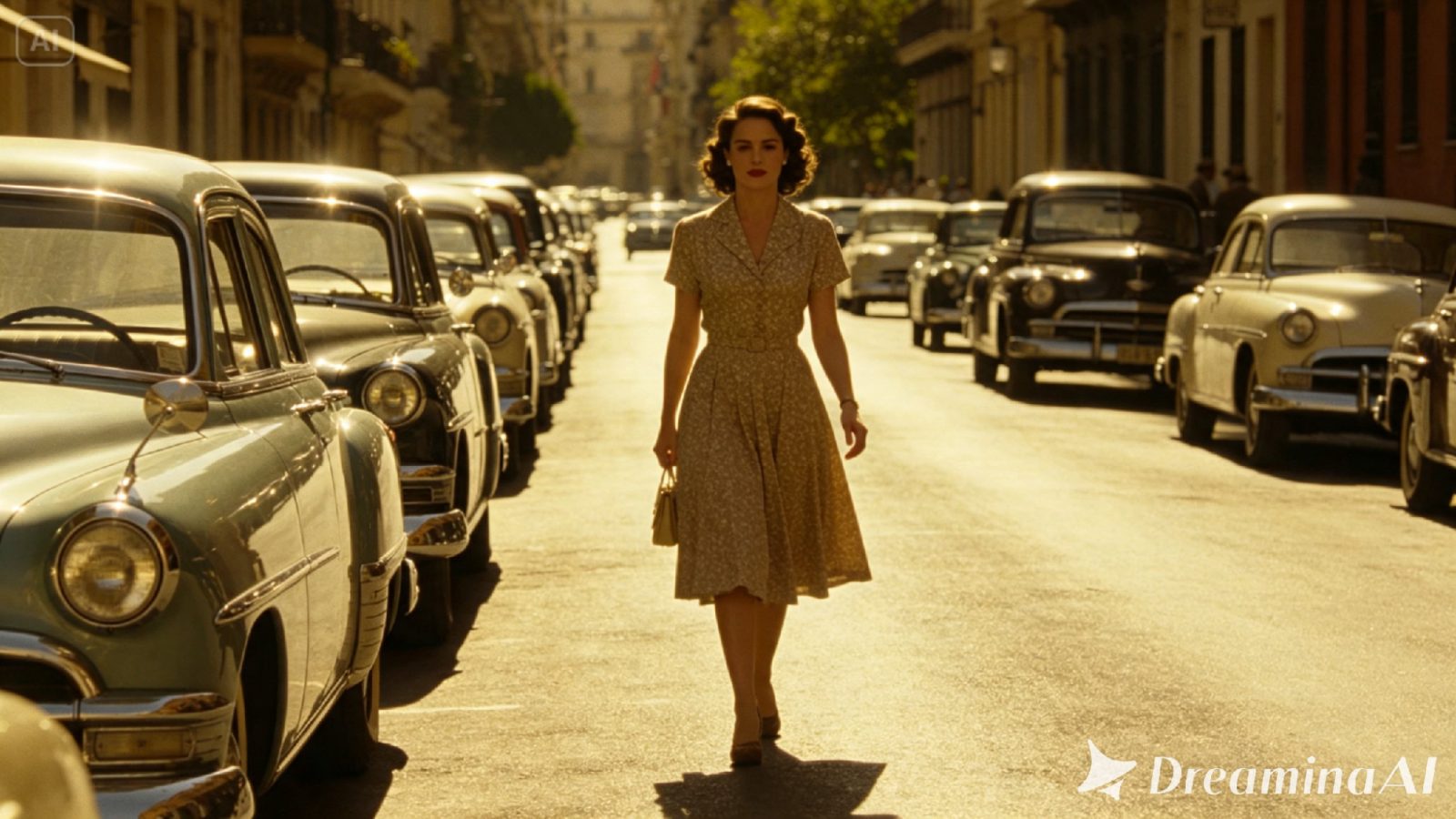
Here’s an idea for a clip: A woman in a fitted 1950s floral dress walking along a sunlit street lined with chrome-trimmed vintage cars, warm faded colour tones typical of old film stock, a soft grain texture across the whole image, the camera tracking alongside her at a leisurely pace before pulling back to reveal the full street scene around her.
Step 2: Choose Seedance 2.5 and generate
Select Seedance 2.5 once your prompt is ready, since it handles period-specific color grading and detail particularly well. Pick a length that fits the scene, then an aspect ratio, 16:9 for a cinematic, film-like feel. Generate and give it a few seconds to render.
Step 3: Refine the period detail and export
Once the clip comes back, check that the fashion, color, and texture all feel period-accurate before finishing up. Upscale sharpens fine detail in fabric and vehicle design, and Generate soundtrack can add a fitting period-style score beneath the visual. Export it once it’s ready to share.
Highlights for Seedance 2.5
Seedance 2.5 was engineered to render period-specific scenes with accuracy and consistent colour grading that holds together across a full clip.
Period-accurate detail rendering
Fashion silhouettes, vehicle designs, and everyday objects render true to a specific decade rather than blending elements from different eras together, keeping a scene feeling genuinely tied to the time period described.
Film grain and colour grading consistency
Warm, faded tones and a subtle grain texture apply consistently across an entire clip, avoiding the uneven look that comes from a vintage filter applied unevenly over otherwise modern-looking footage.
Naturalistic period-appropriate motion
Movement, posture, and pacing render in a way that matches the era being depicted, avoiding modern mannerisms that would otherwise break the illusion of a scene set decades in the past.
Extended duration for full vignette scenes
Ultra-long video generation runs up to 180 seconds, enough room to build a complete vintage vignette rather than a single, brief moment that doesn’t give the period detail time to actually register.
Choosing settings that reinforce the era
The setting itself carries as much period weight as fashion does. Wood paneling, specific furniture styles, and era-appropriate technology all reinforce a decade far more convincingly than costume alone ever could. When prompting Seedance 2.5, describing the room or street itself in period detail matters just as much as describing what a character is wearing within it.
Where these vintage lifestyle clips are already being used
These clips have moved well past personal nostalgia projects. Brands use them to evoke a specific era for marketing campaigns without renting period props or locations, filmmakers use early renders to test the feel of a period piece before a full production, and independent creators build content around recreating specific decades for an audience that appreciates the aesthetic. A vintage feeling that used to require real props, real locations, and real vintage clothing can now be built from a written description, and thanks to Seedance 2.5, it holds enough period detail to feel genuinely of its time.
Recreating a vintage lifestyle scene used to mean sourcing real period props and hoping a location still looked the part. With Dreamina and the era-aware precision of Seedance 2.5, that same feeling can be built from a few careful sentences, regardless of how much the actual world has changed since then.