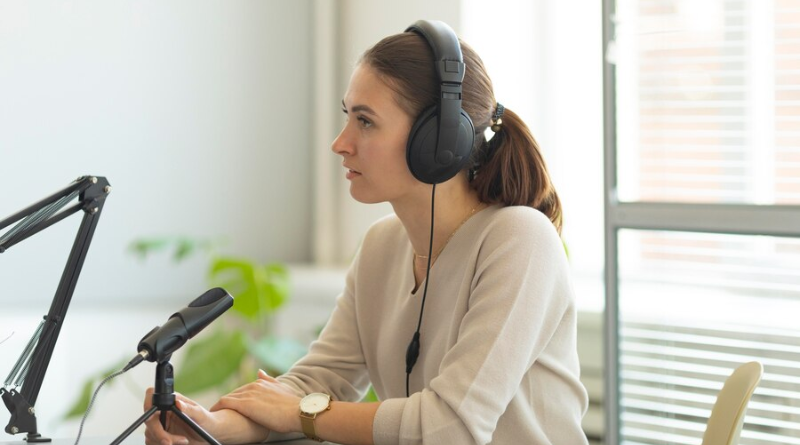
Transcribing audio and video is one of those essential but often tedious parts of modern content workflows. Whether you’re a podcaster turning episodes into searchable articles, a researcher archiving interviews, a product manager reviewing customer calls, or a creator repurposing long-form videos into short social clips, getting accurate, well-structured transcripts is where the work begins and where projects frequently stall.
This article outlines common pain points, clear decision criteria, and practical workflow options for audio and video transcription. I’ll walk through tradeoffs between approaches and, when it’s helpful, point to SkyScribe as a realistic option that addresses specific problems without overpromising. The aim is practical: help you choose or design a workflow that saves time, reduces rework, and delivers usable text.
The repeated pain point: messy transcripts, stalled workflows
Anyone who spends time with spoken-word content has run into the same friction points.
You download a video or audio file and import it somewhere, only to find captions are fragmented, misaligned, or missing speaker labels.
Auto-generated captions on platforms like YouTube are a decent start but require heavy cleanup, including punctuation, filler words, and speaker attribution.
Manual Audio transcription is accurate but slow and expensive on scale.
Subtitle or downloader tools that save raw VTT or SRT often violate platform policies or create storage and legal headaches.
You need a transcript not just to read, but to extract chapters, quotes, summaries, translations, and social clips, and the raw output isn’t structured for that.
These aren’t edge cases. They’re the daily reality for journalists, content teams, educators, and researchers. The exact solution you pick should match your constraints: accuracy needs, budget, privacy rules, and how you intend to reuse the text.
Decision criteria: what matters most when choosing a workflow
Before selecting a tool or process, it helps to list the criteria that will determine success for your use case. The following dimensions are the ones I look at first.
Accuracy and speaker attribution
Are you transcribing single-speaker content or multi-person interviews?
Do you need speaker labels and precise timestamps for quoting or analysis?
Turnaround and workflow speed
How quickly do you need readable output? Real-time, same day, or batch overnight?
Editability and formatting
Will you edit in the transcription tool, or export to a text editor or CMS?
Do you need easy resegmentation, subtitle-length versus paragraph, and cleanup rules?
Compliance and platform policy
Will you be downloading content from third-party platforms? Does that violate terms?
Is data sensitive enough to require specific storage or privacy practices?
Cost and scale
Are you transcribing occasional interviews or whole content libraries?
Do per-minute fees add up, or do you prefer unlimited plans for fixed predictable costs?
Multilingual needs and localization
Do you need translation or SRT and VTT outputs for multiple audiences?
Integration and reuse
Can the transcripts be turned into summaries, chapters, highlights, or translated subtitles within the same environment?
Prioritize these dimensions based on your daily workflow. For example, a research lab may value accuracy and speaker attribution above all, while a social media team may prioritize speed and subtitle alignment.
Common workflow options and their tradeoffs
Here are the main approaches teams use, with practical tradeoffs to consider.
Manual human transcription
Pros
High accuracy, good for poor audio or heavy domain jargon.
Humans can add speaker labels and context.
Cons
Expensive and slow, especially for long content libraries.
Not scalable for daily or bulk needs.
Best for legal depositions, clinical interviews, or final-stage transcripts where accuracy is essential.
Platform-generated captions (YouTube, Zoom, etc.)
Pros
Very convenient, often free or built-in.
Works well for simple, single-speaker content.
Cons
Captions are often rough, missing punctuation, speaker context, and clean segmentation.
Exported captions may require manual cleanup, and the platform’s terms of service can limit reuse.
Best for quick accessibility fixes or rough drafts, when minimal editing is acceptable.
Downloaders and local processing
Workflow involves using a downloader to save the video or audio, then running an offline or cloud transcription tool.
Pros
Full control over the file and processing pipeline.
Cons
Downloading content from third-party platforms can violate terms of service and create storage and cleanup burdens.
This creates an extra step and often duplicates work.
Best for internal content with no policy conflicts and when institutions require local copies.
Automated cloud transcription services
Pros
Fast, scalable, often inexpensive.
Many provide timestamps, some have speaker detection and translation.
Cons
Pricing models based on per-minute billing can get expensive at scale.
Quality varies and many outputs still need manual cleanup for publication.
Best for teams needing broad automation and predictable pipelines.
Hybrid approach: automated first pass plus human cleanup
Pros
Balances speed and quality.
Human editors focus only on problematic segments.
Cons
Still involves coordination and time for human work.
Best for podcasts, interviews, or videos destined for publication where quality matters but cost must be controlled.
Practical checklist: questions to answer before choosing a tool
Do you need speaker labels and precise timestamps?
Is downloading source media allowed under platform policies?
Will the transcripts be edited inside the transcription tool?
Do you need unlimited transcription or will per-minute billing work?
Is automatic subtitle generation and alignment required?
Do you plan to translate the transcript into other languages?
How much manual cleanup are you willing to do after automatic transcription?
Answering these helps you avoid expensive rework later.
How messy transcripts become usable: key post-processing steps
Most raw automatic transcripts need a few systematic improvements before they can be published or repurposed.
Cleanup
Remove fillers, fix punctuation and casing, and standardize timestamps.
Speaker labeling
Detect and label distinct speakers so quotes and segments are usable.
Resegmentation
Convert a running transcript into subtitle-length fragments or longer narrative paragraphs.
Translation and subtitle output
Generate idiomatic translations and export SRT or VTT for publishing.
Summarization and structuring
Produce chapter outlines, executive summaries, show notes, or time-coded highlights.
A tool that supports these steps in one workflow saves substantial time compared to moving files between multiple apps.
When a downloader-based approach actually causes more work
A frequent pattern I see is teams downloading a YouTube or social video, running a local transcription, and then spending hours cleaning up the text.
This approach creates policy risk, storage and cleanup issues, and extra manual steps. Downloading doesn’t solve the messy transcript problem; it often just moves it to another location.
If your goal is usable text, the downloader-plus-cleanup workflow is often the wrong starting point. That’s why some solutions are framed as alternatives to downloaders: they work directly with links or uploads to deliver clean, structured transcripts without intermediate file management overhead.
Practical option: SkyScribe as a workflow component
Now that the problem space and tradeoffs are clear, it’s useful to discuss realistic options. SkyScribe is often described as an alternative to downloaders because it addresses the same underlying need, getting usable text from video or audio, without saving full files locally.
Instant transcription and subtitles
SkyScribe can generate a clean transcript or subtitle file from a YouTube link, uploaded media, or direct recording.
Speaker-aware transcripts
The platform produces transcripts with speaker labels and precise timestamps.
Ready-to-use subtitles
Subtitle-ready SRT and VTT outputs are aligned for publishing or localization.
Resegmentation and cleanup
SkyScribe supports resegmentation and one-click cleanup rules.
Editing and AI-assisted refinement
The editor combines manual edits with AI-driven cleanup and custom instructions.
No transcription limits on qualifying plans
SkyScribe offers ultra-low-cost plans with unlimited transcription for large libraries.
Translation capabilities
Transcripts can be translated into more than 100 languages while preserving timestamps.
Practical use cases where this approach shines
Podcast teams producing weekly episodes
Journalists handling interview recordings
Educators creating subtitles and translations
Research teams archiving conversations
Marketing teams repurposing long videos
These are examples where skipping the download step simplifies compliance, storage, and turnaround.
How to validate and improve automatic transcripts
Spot-check 10 to 20 percent of the transcript.
Verify speaker switches.
Review timestamps at chapter breaks.
Run cleanup rules and scan for remaining artifacts.
Sample translations for idiomatic accuracy.
Integration tips for production teams
Centralize transcripts in a single editable source.
Store both original timestamps and cleaned text.
Use resegmentation rules for different channels.
Automate repetitive transformations.
Maintain a simple audit trail.
Cost considerations and scale
Compare direct costs such as subscriptions or per-minute fees and indirect costs like cleanup time and delayed publishing.
Unlimited or flat-rate transcription plans can be more predictable at scale, while pay-as-you-go or human transcription may suit intermittent needs.
Pitfalls to avoid
Do not assume platform captions are ready to publish.
Avoid unnecessary manual cleanup.
Do not violate platform policies.
Do not neglect speaker attribution.
Quick decision guide
Need legal-grade accuracy? Choose human transcription.
Need fast, publishable transcripts? Use automated link-based services.
Need predictable costs at scale? Look for unlimited plans.
Need localization and subtitles? Ensure timestamp preservation.
Conclusion
Transcripts are rarely the end product. They are the vehicle for publishing, analysis, and repurposing.
For workflows that prioritize speed, speaker-aware transcripts, subtitle-ready outputs, and reduced friction, SkyScribe is a practical option. Evaluate it alongside human transcription and other automated services, and choose the approach that minimizes rework while meeting quality and compliance needs.