Key Takeaways
- Floating Action Buttons (FABs) serve as prominent UI elements that encourage user interaction.
- Proper implementation of FABs can enhance user experience and increase conversion rates.
- Strategic placement and design of FABs are crucial to their effectiveness.
Table of Contents
- Introduction
- What Are Floating Action Buttons?
- Benefits of Using FABs
- Best Practices for Implementing FABs
- Case Studies of Successful FAB Implementation
- Potential Drawbacks and Considerations
- Conclusion
Introduction
User interface (UI) design is the foundation of compelling digital experiences. Among the array of interactive elements, the Floating Action Button (FAB) has earned its place as a visually distinct and functional component in many contemporary web and mobile applications. The purpose of the FAB is to place the most important user action in an easily accessible location, streamlining the user journey and boosting engagement. Learn more about its visual characteristics and practical applications in Floating Action Button UI Design Inspirations for Web.
As users interact with more digital platforms on smaller screens, prioritizing clear, actionable UI elements has never been more critical. FABs frequently take center stage, whether to initiate a purchase, create new content, or connect users to the app’s primary feature. Understanding when and how to deploy them can greatly improve not just visual appeal but real business outcomes, making them an essential tool for designers and developers.
With the proliferation of mobile-first design strategies, thoughtful incorporation of FABs has expanded well beyond simple utility. Their elevated prominence actively encourages engagement by guiding users toward high-impact actions and reducing navigation friction. This technique is central to improving both usability and conversion.
Not only do FABs provide users with one-tap access to core functionality, but they also address key principles of modern usability by combining accessibility, clarity, and minimalism. To get a broader sense of best practices in UI design, a recent Smashing Magazine article offers helpful insights into how floating elements are reshaping user expectations.
What Are Floating Action Buttons?
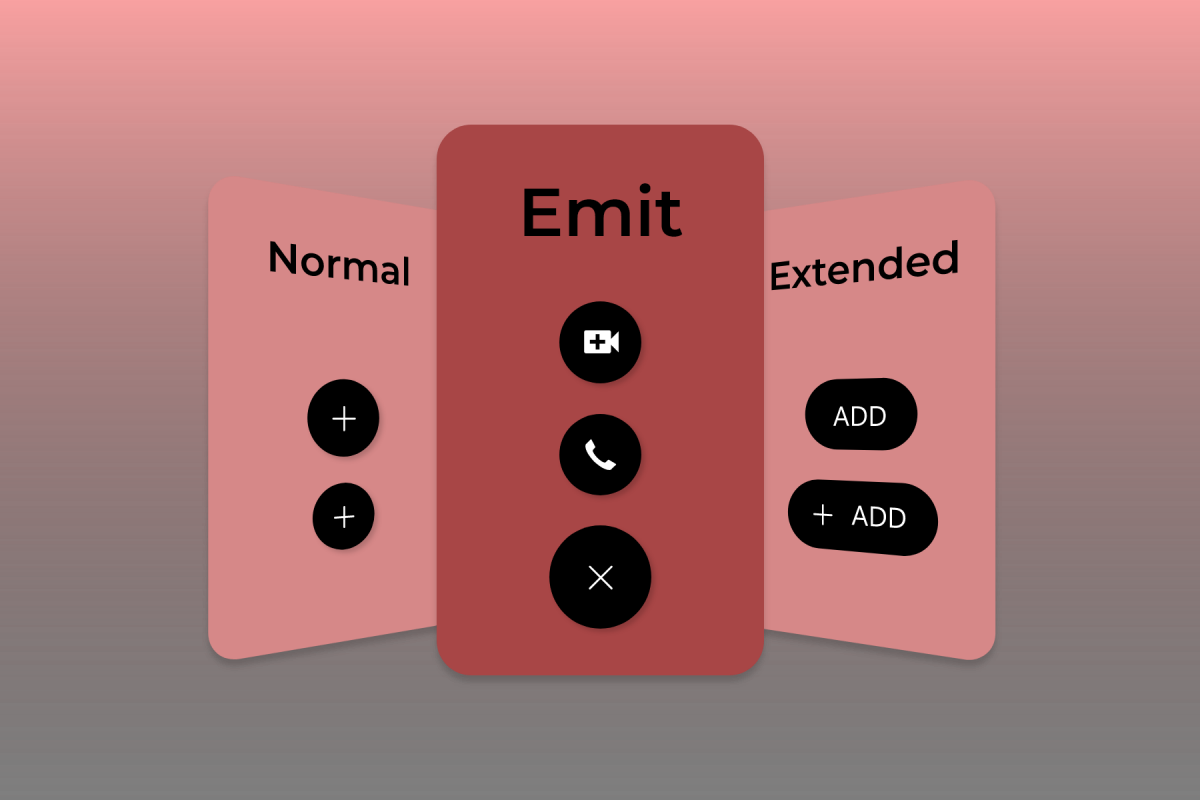
A Floating Action Button is typically a bold, circular button that appears to hover above the main content of a screen. Usually anchored at the bottom right but adaptable across devices and platforms, the FAB quickly guides the user’s attention to the primary action available in a given context, such as composing an email, adding an event, or making a purchase. Its tactile elevation and unique color or iconography distinguish the FAB from static navigation elements, making its function immediately apparent. More information on the evolution of FABs and their visual impact can be found in Google’s Material Design Guidelines.
Benefits of Using FABs
Adopting FABs as a UI mechanism isn’t merely about visual flair. Their advantages impact both end users and businesses:
- Enhanced Visibility: By design, FABs are front and center, making it nearly impossible for users to miss the main action the application prioritizes.
- Improved User Experience: With a single tap or click, users can perform high-priority actions quickly, streamlining their journey and reducing the need for deep navigation menus.
- Increased Conversion Rates: Strategic placement of FABs increases the likelihood of meaningful user interactions. For example, one gaming platform saw a 22 percent increase in tournament registrations after introducing a FAB to highlight a significant prize pool.
These benefits extend beyond basic convenience and directly correlate with stronger engagement metrics and higher satisfaction scores across industries.
Best Practices for Implementing FABs
Getting the most value from FABs depends on disciplined design and consistent execution:
- Limit to One FAB per Screen: Prioritize a single, central action per view to avoid overwhelming users or diluting the intended focus.
- Use Recognizable Icons: Opt for intuitive, standard icons that unambiguously signal the FAB’s purpose, reducing the learning curve for new users.
- Ensure Accessibility: Place FABs where they can be comfortably reached with thumbs and fingers, and provide alternative interaction methods, such as keyboard shortcuts or screen reader support.
- Maintain Consistency: A consistent approach to FAB use across an app or website establishes predictability, which is critical for a seamless user experience.
Following these fundamentals increases engagement opportunities while reducing the risk of user confusion or frustration.
Case Studies of Successful FAB Implementation
Many leading applications have demonstrated how well-implemented FABs can drive growth:
- Google Drive: Introduced an oversized FAB to make operations such as uploads and new-file creation more accessible, streamlining task initiation for millions of users.
- PokerBaazi: After deploying a FAB highlighting a limited-time tournament prize, the platform saw a 22% boost in registrations thanks to the visibility and ease of action.
These examples reflect a broader trend across industries, as brands discover the conversion and engagement benefits of proactive, visually prominent UI features.
Potential Drawbacks and Considerations
Despite their clear advantages, FABs should not be implemented without foresight. Designers must recognize the potential downsides:
- Obstruction of Content: Poorly placed FABs can cover essential information or interfere with interactions, especially on constrained-screen devices or in scrolling lists.
- Overuse: Deploying too many FABs leads to clutter, diluting their intended focus and confusing users.
- Accessibility Issues: Without proper support for users with disabilities, including screen readers and alternative controls, FABs may compromise usability for an important segment of the audience.
Weighing these factors upfront ensures that FABs serve their intended purpose without becoming a source of friction or frustration.
Conclusion
Floating Action Buttons, when thoughtfully integrated, elevate core actions and drive measurable engagement. Their prominence delivers convenience and clarity, resulting in positive outcomes for businesses and greater user satisfaction. By following best practices and avoiding common pitfalls, FABs become a valuable asset in modern UI design, contributing to user experiences that foster loyalty and drive results.